

In addition to Google Analytics, there are countless tools for different analyses and figures. For many, SEO analyses are very relevant in addition to campaign analyses, which can be done easily and professionally with Google Analytics. There are also various ways to check your rankings and visibility.
Searchmetrics Tools
If you want a holistic SEO analysis, I recommend a visit to suite.searchmetrics.com. The website analysis managed by Searchmetrics takes many different factors into account and provides information about the individual values.
Whether comparison of SEO and paid visibility, link building analyses, demographic analyses, market analyses, social rankings, or top organic keywords listings. The free version already offers a large amount of information. The premium version of Searchmetrics is even more detailed. However, we recommend starting with the free version. If this is not enough for you, you can book the Premium Version for a fee.
Google Webmaster Tools
Another detailed SEO analysis tool from Google is the Webmaster Tool. You can register for this free of charge and release your website for analysis by clicking on “Add property”. You have to insert an HTML code or a file on your website to activate the tool.
As a further step for the start, we recommend entering the sitemaps right at the beginning under the category Crawling – Sitemaps, so that Google can analyse and follow the structure of your website.
In addition to a technical analysis such as crawling error analysis and statistics, HTML improvement suggestions, the analysis tool also offers other relevant functions such as the Date Highlighter, in which the structures and layout of the page are delivered to Google in a structured manner. Thus, Google knows where the description, the image, the price, the rating and much more is positioned for a product.
With the search query analysis, the system shows you which backlinks lead to your page. You can also exclude these if they are negative backlinks. Furthermore, you can see the number of internal links, which are also strongly evaluated by Google. The search analysis lists the keywords with which your page organically generates visitors.
We consult this tool at least once a week and look at the development of the search analysis, the number of indexed pages and the backlinks listing. With this data, we have a quick and easy overview of the status of a website.
Google Trends
For certain areas, it is beneficial to know how search behaviour has changed over the last few days, weeks, months or years. This is where the Google Trends analysis tool comes into play.
With Google Trends, search terms can be analysed in detail. This tells you which keywords are popular and therefore relevant for your content. In addition, keywords can be compared to analyse the strength of the individual words. For example, as a seller you can check whether you tend to use women’s shoes or women’s shoes as your main keyword and what the search trend is.
However, these analyses can also be done with the Keyword Planner from the Google Ads account. I almost prefer to do this because the Keyword Planner shows additional information such as competitive strength and cost per click.
Google Developers – PageSpeed Insights
The PageSpeed Insights Tool emerged from Google’s technical “kitchen” and is basically only used to check the build speed of a website. The speed of a website is very important for the evaluation of the ranking.
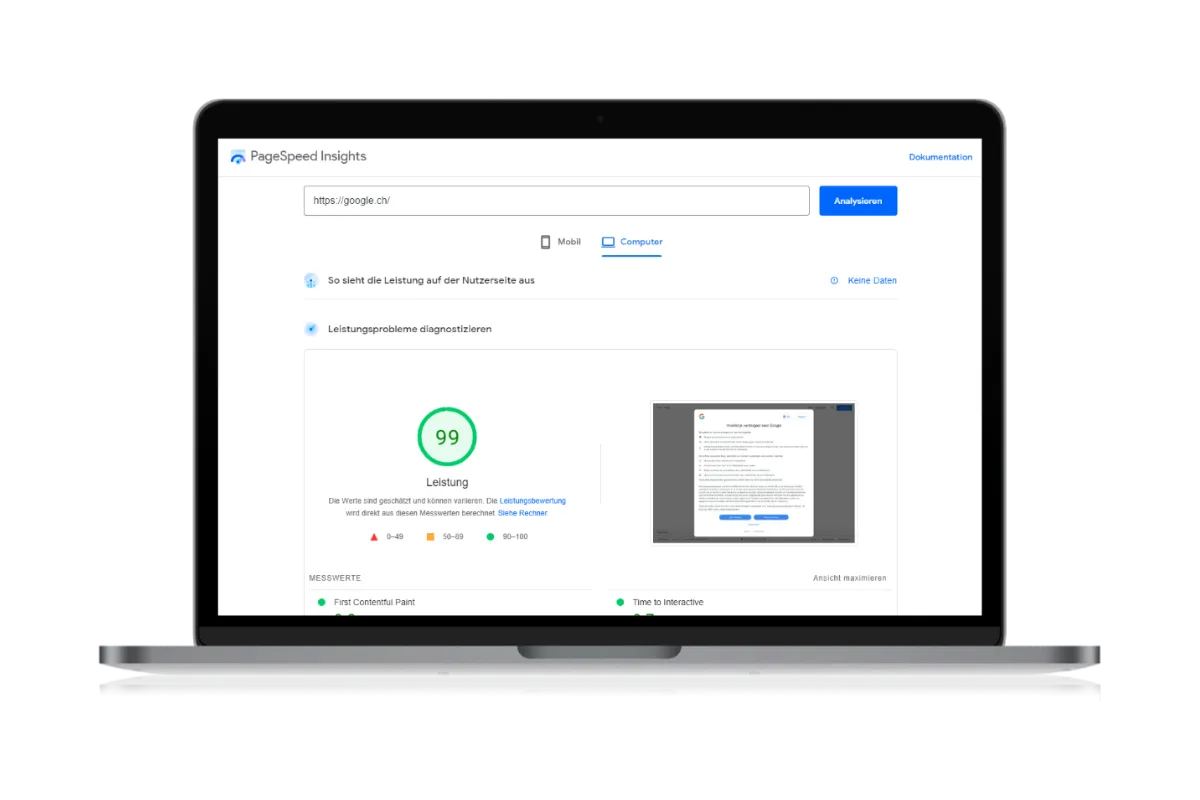
For this analysis, you open the PageSpeed Insights Tool and type in your website. After checking the website, you will receive a mobile and a desktop analysis including evaluation and rating. A list of open and negative points is provided with the evaluation. This is your homework, so to speak. Mostly, however, they are quite programming-heavy tasks, which point to the reduction of the data volume.
You have already learned that the speed of a website is highly relevant. For this reason, I recommend that you carry out this analysis on a monthly basis in order to analyse strong changes.
Alexa Rank Analysis
Perhaps you have heard of the Alexa Rank? This is a holistic analysis and comes from Amazon. The Alexa Rank evaluates websites and lists them in a national and international website rank. On Alexa you can check and compare the entire listing of individual factors such as backlinks, number of visitors, visitor duration and bounce rate. A small part of this analysis can be viewed free of charge and can be expanded with a paid version.
Basically an interesting tool, but not of very great relevance, as these analyses can also be checked precisely with tools from Google.
Domain Authority – Website & Domain Age Analysis
In addition to the factors already listed, the age of the domain and the website is also analysed and evaluated in the ranking. Thus, an older website or domain is rated more positively than a new one. This can be relevant for you if you want to take over an existing website or URL and there are possibly several domains in the comparison.
Under SEO Review Tools you can analyse the website or domain. It is always interesting to see how long a website or URL has existed.
Shopping cart abandonment analysis
Probably the most important analysis in online business is the shopping cart abandonment analysis. Here you take a close look at the reasons for shopping cart abandonment and analyse the individual processes that lead to increased abandonment.
Tools for SEO analysis
In the basic analyses of Google Analytics, you can see on which page your customers bounce and thus which pages have potential for improvement. In addition to the process-optimised reasons, it can also be that customers are distracted and thus forget to place the order.
Shopping cart abandonment mailing
There are tools that can be used for this. Depending on the CMS, individual tools such as product abandonment mailings can also be installed and automated as a programme. The customer who has placed a product in the shopping cart and entered at least his or her e-mail address receives a reminder with the contents of the shopping cart after a predefined time. These functions increase sales by an average of 10-15%.
Remarketing
Remarketing can also be defined in such a way that only customers who “enter” a certain page are addressed, in this case the order process page. The customer receives a remarketing cookie placed on the computer and is followed by a dynamic advertisement with the desired product as a banner.
Remarketing can also be easily set up with Google Ads.